Step 9: Set spend limits
Model use is included on your CortexHub bill and capped for the whole organisation and per agent. Set the limits once, before the wider team starts.
- Open Settings -> Models & budgets and go to Budgets.
- Set an Organisation budget for the day, week or month. It caps the model spend of every agent together; leave a field empty for no budget.
- Under Defaults by agent type, set Daily, Weekly and Monthly caps for Member co-workers, Org agents and External agents. Every agent of that type, including ones created later, uses them.
- To give one agent its own limits, find it in the Agents list on the same page, select Edit and save custom caps.
- To cap one team, open the group under Groups & access and its Spend tab. Set a Group budget for all of the group's agents together, and a Per-member limit for each member's own agents. For the group's members the per-member limit replaces the co-worker default in each window you set.
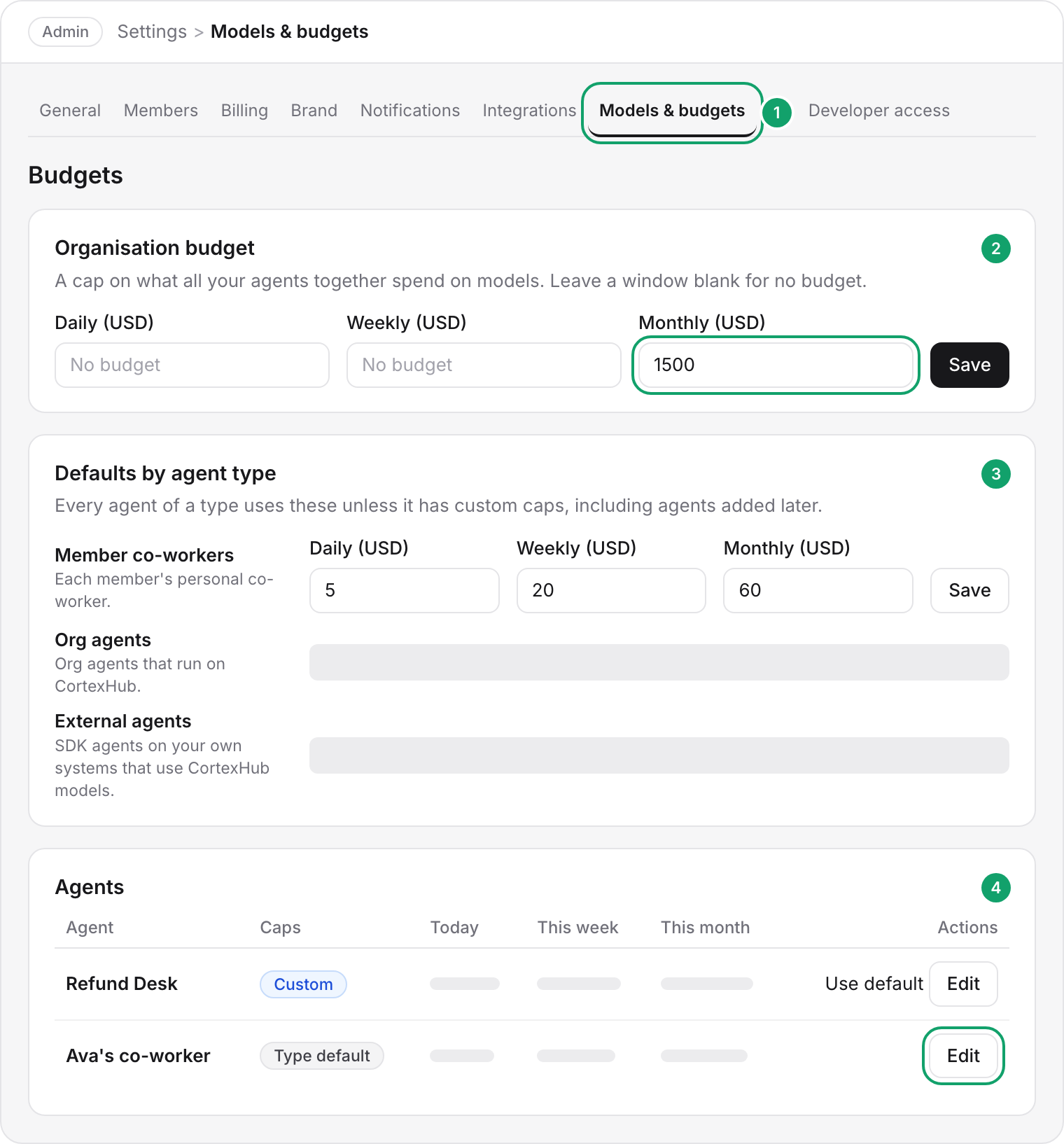
The organisation budget, the defaults by agent type, and custom caps for one agent.
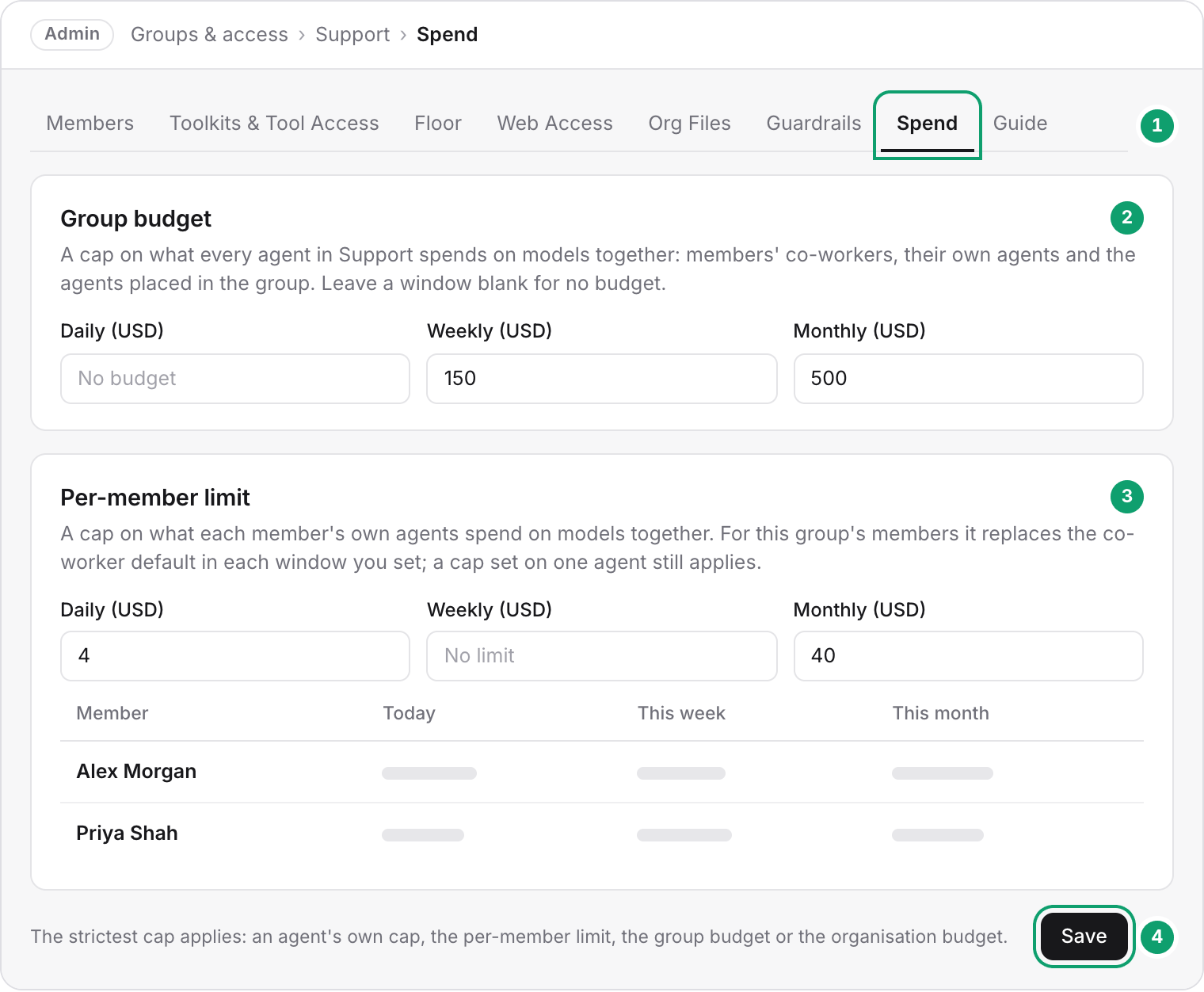
A budget for the Support group, and a limit for each of its members.
The strictest cap applies: the first one reached of an agent's own cap, its owner's per-member limit, its group's budget and the organisation budget stops its model calls until the window resets. Agents are not paused. Owners and admins are alerted at 80% and at 100%; a group budget also alerts the group's members, and a per-member limit alerts that member.
Spend in the Admin view shows what is happening and what it costs together: working time (time a hosted agent spends working), model use and tool calls, by agent and by member and by kind of agent (Co-worker, Org agent, SDK agent or External agent), plus what provider prompt caching saved. Settings -> Billing holds your plan, credit, payment method and invoices.
Go deeper
- Usage: spend, savings and per-agent spend caps.