How CortexHub works
The governed agent operating system
Companies now use many AI assistants and agents: Claude and ChatGPT, agents their teams build, and agents inside their products. On their own, each one brings its own context, tool access, rules, bill and logs, so nobody can say what all of them did.
CortexHub gives every agent one place to run, one memory and one set of controls, whichever model or vendor is behind it.
- One place to run. Every employee gets a co-worker, every team can have its own org agent, and work runs in chat, on a schedule as a routine, or in Slack. CortexHub picks the right model for each task.
- One memory. The Brain, your files and your skills are shared by every agent acting for you, so knowledge outlives any single conversation, model or vendor.
- One set of controls. Every tool call from every agent passes the same gateway. Your groups decide which tools each team's agents can use, your policies decide when a call waits for a person or is blocked, and each decision is signed into a record you can hand to an auditor.
Four kinds of agent, governed the same way
| Agent | What it is | Where it runs |
|---|---|---|
| Co-worker | Each member's own AI teammate. One per member seat, working with that member's tools, Brain and files. | On CortexHub |
| Org agent | A shared agent owned by the organisation, such as a refund desk or a sales assistant. Anyone can chat with it in the app or in Slack. | On CortexHub, or on your own runtime |
| Connected assistant | Claude, ChatGPT, Copilot or any MCP client a member connects. It acts as that member. | In its own app |
| Your own agent | An agent your developers build with the CortexHub SDK. | On your own infrastructure |
All four appear in one directory, follow the same rules and write to the same audit trail. Adding a new kind of agent never means a new console, new credentials or new rules. See Agents for more on each kind.
Six rules that never change
The interface will keep improving. These rules will not, and every later step applies them.
1. One boundary
Everything belongs to one organisation: people, agents, tools, usage and audit records. There is no workspace or tenant layer below it. You can own several organisations, and each is fully separate.
2. Nothing is reachable until you allow it
Connecting a system does not expose it. An agent can call a tool only when its group has been given that toolkit. Each member is in exactly one group: a member's co-worker and connected assistants use the member's group; an org agent uses its agent group.
3. Groups grant access; policies decide
Two separate questions are answered separately:
- Groups (the Groups & access page) decide which toolkits and tools each group's agents can use.
- Policies decide when a call must wait for a person, or is blocked: the org-wide rules on the Policies page, each group's rules, and each group's decisions for its toolkits, tools and arguments. When you work for clients, Clients keeps each group's agents on the clients it works for.
CortexHub classifies every tool by what it does (reads, writes or deletes, moves money, sends something outside the company, touches personal or payment data, cannot be undone) and sets no policy of its own: your admins set every decision. Rules describe what an action does, not tool names, so a toolkit you add next month is covered the day you add it, and Policies recommends rules for the kinds of tools you have connected. Each tier can only make a call stricter, the strictest wins, and a call no decision covers is blocked.
4. One checkpoint for every action
Every tool call is decided at the gateway before it reaches your systems: it runs, it waits for a person to approve it, or it is blocked. Your policies make the decision, not a model, so an agent cannot talk its way past it.
5. Admins govern; they don't read
Admins see which agent acted, the rule, the decision, the approver and the cost. A member's chats, prompts, results, Brain and files stay with that member.
6. Evidence, not claims
An agent saying a task is done is not evidence. The signed, hash-chained receipt of which tool ran, under which rule, and who approved it, is. That record is what you give an auditor.
The app at a glance
Everyone has the Member view, where they do their own work. Owners and admins also have the Admin view, where they govern the organisation. The Member | Admin switch at the top of the sidebar moves between them.
Member view
The Member view is built around work. It opens on your co-worker's chat, with New chat at the top, then:
- Work: Approvals waiting for you, your Routines, and Activity for everything acting as you.
- Your agents: your co-worker and any assistant you have connected, such as Claude, with Connect an agent to add another.
- Knowledge: your Brain, Skills and Files, shared by every agent acting as you.
- Recents: your latest chats, with All chats for the rest.
One-time setup lives in Settings in the account menu at the bottom of the sidebar: Connections, Approval channels and Developer.
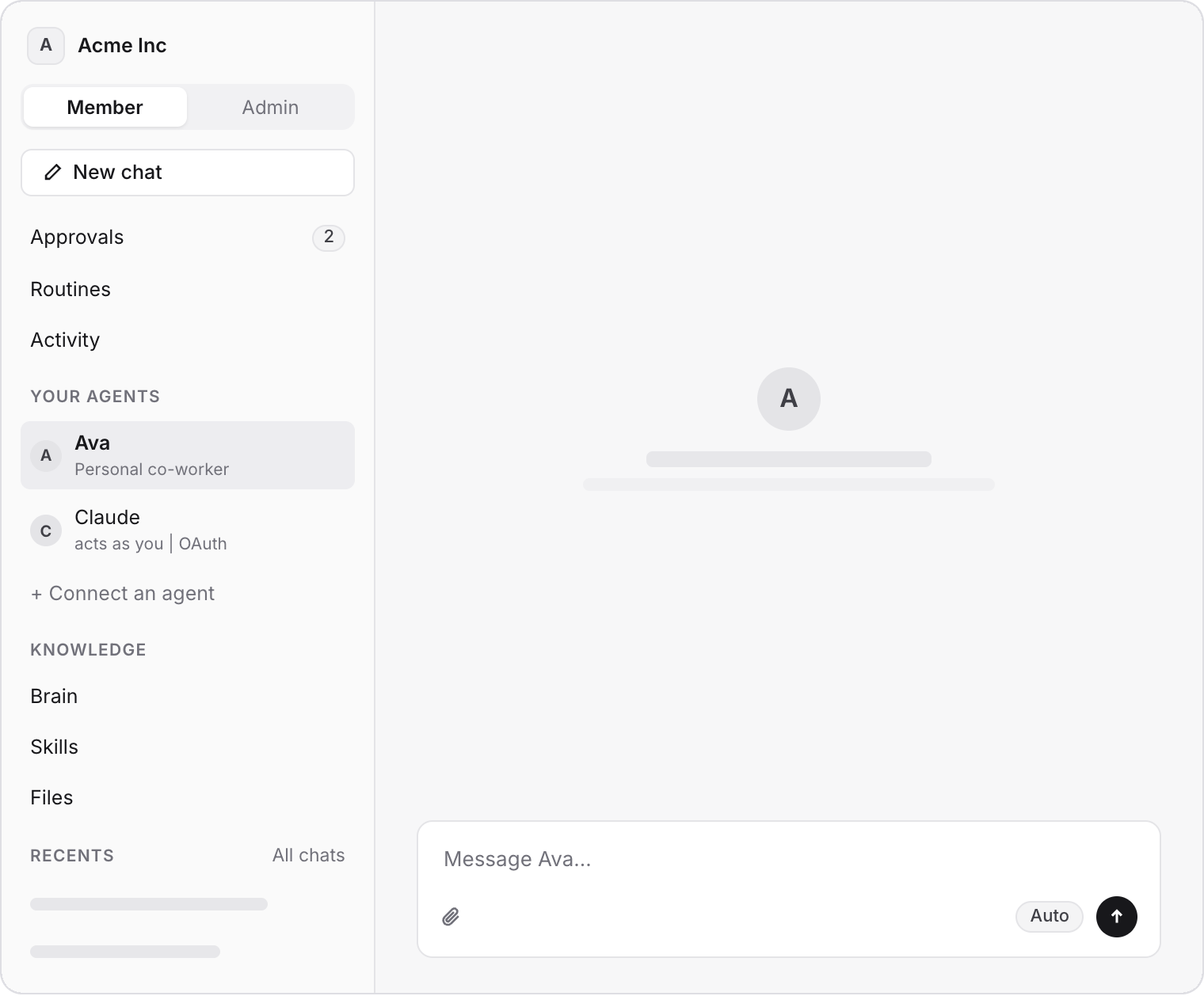
The Member view. Every action Ava takes runs through the organisation's rules.
Admin view
The Admin view is grouped by job:
| Section | Pages | Use it to |
|---|---|---|
| Overview | Overview | See the health of every agent at a glance. |
| Monitor | Activity, Spend | Review runs and sessions, and what they cost. |
| Respond | Approvals, Risks & threats | Approve or deny requests that ask org admins, and investigate risk signals. |
| Agents | Agents, Chat, Routines | Manage every agent in one directory, chat with your organisation agents, and schedule org agent work. |
| Govern | Policies, Groups & access, Toolkits, Skills & files, Security, Compliance & audit | Set the policies, decide who can use which tools, connect systems, share knowledge and prove compliance. |
| Organisation | Settings | Members, billing, notifications, integrations, models and budgets, and developer access (API keys and OAuth clients). |
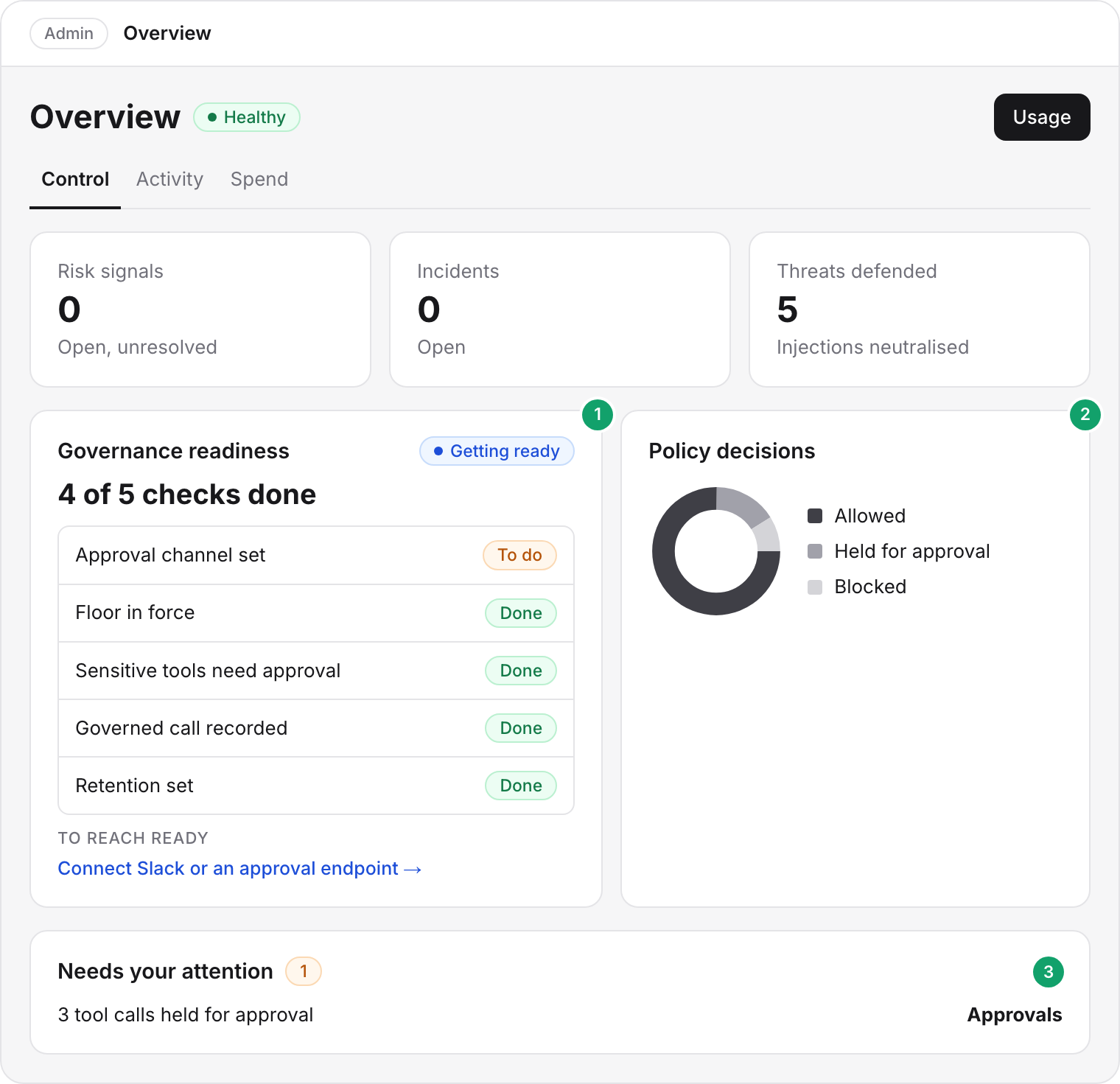
The Admin view opens on Overview: governance readiness, policy decisions, threats defended and anything that needs you.
Agent pages
Open any agent to see the same tabs: Overview (governance, spend and activity), Chat for agents that run on CortexHub, Runs, Sessions with a full trace of each piece of work, Routines, and Settings.
Next
Start the admin setup with Step 1: Create your organisation.