Step 5: Run your first governed workflow
Now see it work. You will use your own co-worker on a real task in a system you connected in Step 2, and watch your policy hold an action for your approval.
Before you start
Make sure a policy holds the action you will try. Moving money always needs approval, so a refund is a good first test. To check the outcome without running anything, open the tool on its group's toolkit Policies tab: the Tools table shows its final decision, and Override decision -> Dry-run tries sample arguments (see Step 3).
Run it
- Switch to Member and select Create your co-worker in the sidebar. Give it a name, leave the model on Automatic, and select Create co-worker.
- Open the account menu, then Settings -> Connections, and Connect the toolkit your workflow needs. Sign in with your own account if asked.
- Select New chat and ask for something real, for example: "Find the duplicate charge on order 2291 and refund it."
- Watch each step. Every tool call shows what the co-worker did and why it did it. A step that a policy holds shows a Needs your approval card, and nothing runs until you decide.
- Approve it. Then switch to Admin and open Activity -> Sessions to see the full trace, the policy that held the refund, and your approval.
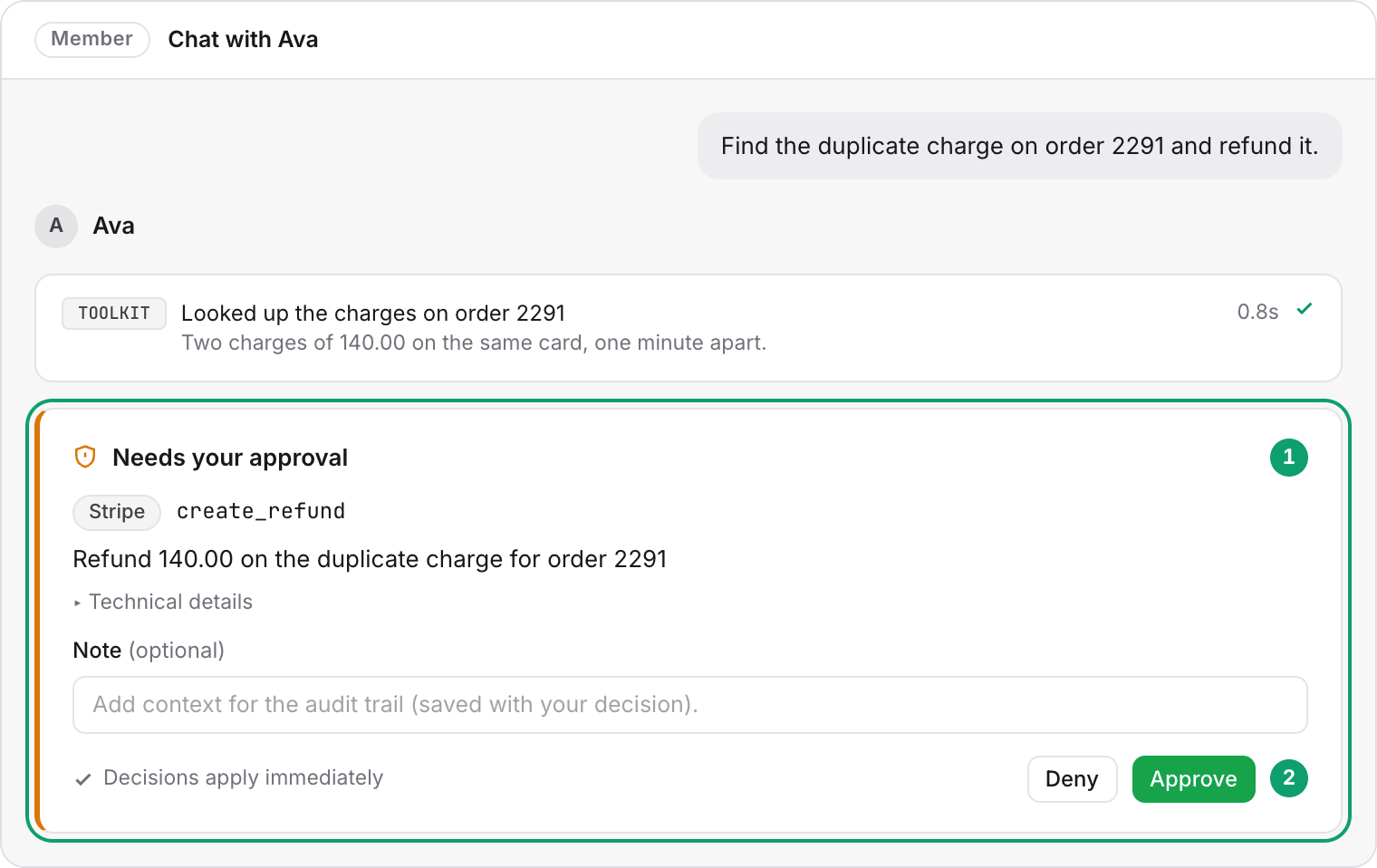
A refund held for approval by a policy.
note
That is the whole loop: an agent working in your real systems, your policy deciding, a person approving, and a signed record of all of it. Everything else in this guide is more of the same, for more people and more agents.
Go deeper
- Sessions and activity: what a session trace records.