Step 8: Bring in Claude, ChatGPT and your own agents
Your people keep the assistants they already use. Connected through CortexHub, those assistants get your systems, the member's Brain and files, and your rules, with nothing set up again per assistant.
Connected assistants
Each member connects their own assistant, and it acts as them. They select Connect an agent under Your agents in the sidebar, then add CortexHub to their assistant as a remote MCP server:
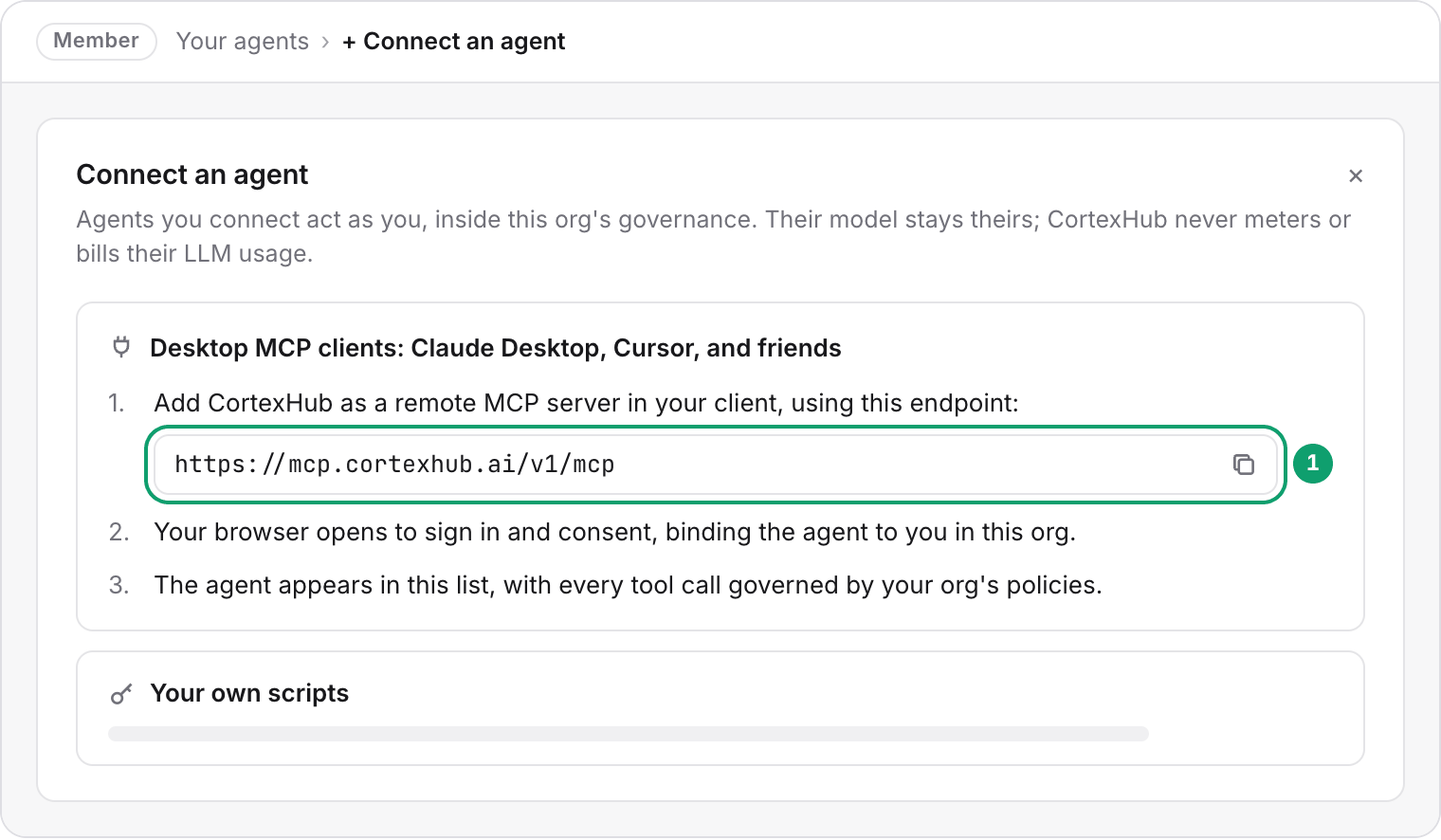
The Connect an agent dialog, with the endpoint to add to Claude, ChatGPT, Cursor or any MCP client.
The browser opens for them to sign in and consent, and the assistant then appears under their agents and in your Agents directory as an external agent. A newly connected assistant can read the member's Brain, files and skills but not change them, until the member allows it. CortexHub never runs or bills the assistant's own model.
Your own agents
For an agent your developers build, register it and give it its own key:
- Open Agents and select Connect an SDK agent. Name it and turn on its capabilities: MCP gateway for governed tools, Brain and Files, and Model router for models.
- Copy the API key. It is shown once, and it is the agent's identity, so every call is attributed to that agent.
- Add the agent to an agent group to decide what it may use, as in Step 7.
- Install the SDK and connect your framework. Examples cover the OpenAI Agents SDK, LangChain, LangGraph, CrewAI, Mastra, the Claude API and the Vercel AI SDK. Each run appears as one session in CortexHub.
An agent that acts for your customers or staff names that person on every request (X-CortexHub-End-User-Subject, or end_user_subject in the SDK), so approvals and receipts are attributed to them. Create and rotate keys under Settings -> API key. For scripts a member runs as themselves, they create an OAuth client under Settings -> Developer instead.
Agents talk to the full endpoint https://mcp.cortexhub.ai/v1/mcp. Never put API keys or system credentials in an agent's prompt or a chat.
Go deeper
- Connect an AI app: the member's view of connecting Claude, ChatGPT and Copilot.
- SDK quickstart: register an agent, mint a key and open a governed session.
- Frameworks: wiring the SDK into your framework.